

Apostrophe
Open-source GNOME Markdown editor for Linux with a clean writing view, focus mode, spellcheck, document statistics and export options.
About Apostrophe
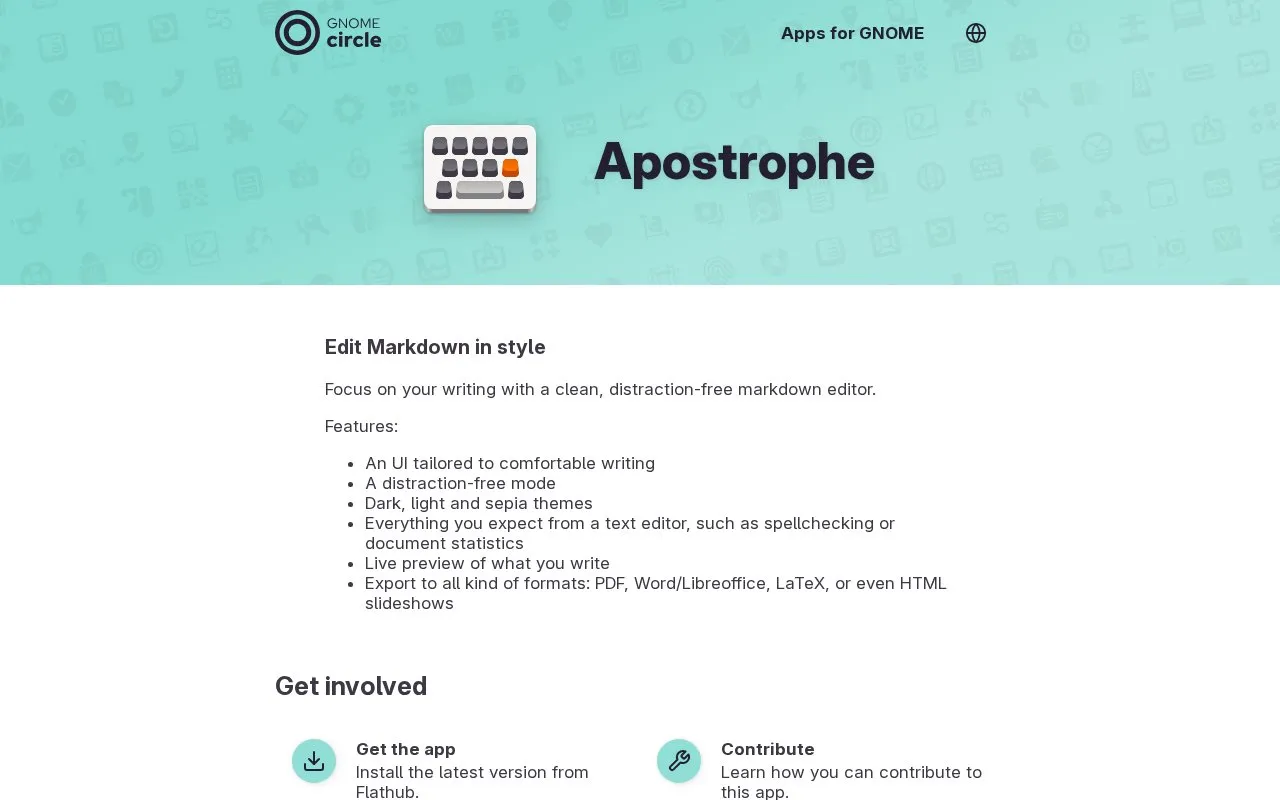
Apostrophe is a Markdown text editor for the GNOME desktop on Linux. It provides a writing view intended to reduce distractions, with a focus mode, a live preview of the rendered document, and dark, light and sepia themes.
The editor includes common text editor tools such as spellchecking and document statistics. Documents can be exported to PDF, Word and LibreOffice formats, LaTeX, and HTML slideshows. The homepage lists Linux as the platform. It is free and open source, and the app is installed from Flathub.
Key features
- Distraction-free focus mode for writing
- Live preview of rendered Markdown while typing
- Dark, light and sepia color themes
- Spellchecking and document statistics
- Export to PDF, Word, LibreOffice, LaTeX and HTML slideshows
- Toolbar for inserting elements such as tables
Best for: Linux users of the GNOME desktop who write in Markdown and need to export finished documents to other formats.
Good for
- Free to use and open source, with source code published on GitLab
- Includes a live preview alongside the editing view
- Supports several export formats, including LaTeX and HTML slideshows
Watch out for
- Listed only for Linux platforms
Apostrophe at a glance
- Website
- apps.gnome.org/Apostrophe
- Category
- Software & Utilities › Text Editors
- Type
- Online tool
- Pricing
- Free
- Platforms
- Linux
- Open source
- Yes · Source code
- Last checked
- Oct 7, 2026 · Online when checked
- Listed
- Oct 7, 2026
Guides for Text Editors

Apostrophe alternatives
Tools and sites you could use instead, ranked by how closely they match.

Open-source Markdown editor for Windows, Mac and Linux with a live preview, focus mode, typewriter mode and CommonMark support. Free.
FreeOpen source
11 alternatives
Dillinger offers online Markdown editing with live preview, HTML or PDF export, and sync options for GitHub, Dropbox, and Google Drive.

Edit Markdown in the browser with a live GFM preview, diagrams, export, and sharing options, without logging in.

Browser-based Markdown editor with live preview, offline storage and sync or export to Google Drive, Dropbox and GitHub. Free and open source.
FreeOpen source
16 alternatives
Ellipsus supports collaborative writing and editing across devices, with a focus on creative writers.

Markpad combines Markdown viewing and editing with a tabbed notepad interface for Windows, macOS, and Linux.
Free
5 alternativesFeatured in
 8 sites


Best of
8 Best Free Markdown Editors for Articles and Notes
The best free Markdown editors let you write a document and hand someone an ordinary file afterward. I'd start with…
Popular in Text Editors
Well-known listings from the same topic.
Google Docsgoogle.com/docs/aboutProton Docsproton.me/drive/docsVertex42vertex42.comdDocsdocs.fileverse.ioNotepad++notepad-plus-plus.orgLibreOfficelibreoffice.org


Apostrophe FAQ
How is Apostrophe installed?
The homepage says the latest version can be installed from Flathub.
Can people contribute to the project?
The homepage links to information on contributing, reporting issues, and helping translate the app into other languages.
Is something wrong or out of date?
Tell us and an editor will check it.
Own this website?
Claim this listing
Claim the listing and suggest updates yourself. An editor checks every claim first.